
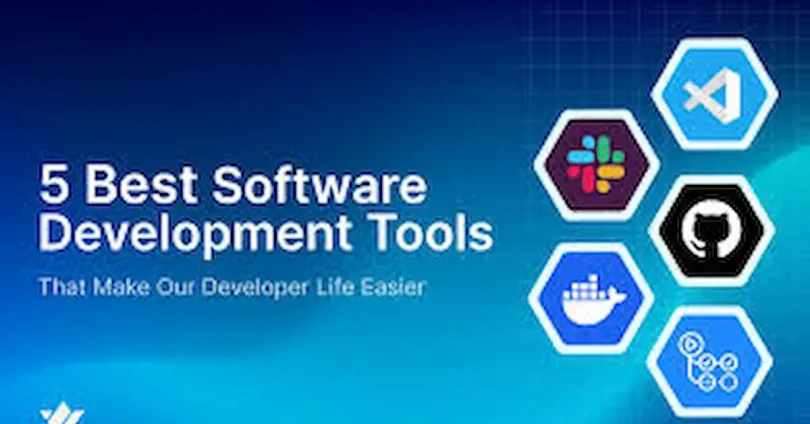

Software tools are essential for developers because they make coding easier, faster, and more efficient. From writing and testing code to managing projects and collaborating with teams, the right tools help developers work smarter and stay organized. Whether you are a beginner learning programming or a professional building complex applications, using the right software can save time, reduce errors, and improve productivity. In this guide, you’ll discover the types of developer tools, their benefits, and the best options available in 2025 to help you succeed in your coding journey. software tools for developers
Benefits of Using Developer Tools
Saves Time and Automates Repetitive Tasks
Developer tools help automate tasks like code formatting, testing, and deployment. This saves hours of manual work and allows developers to focus on more important tasks.
Improves Code Quality and Reduces Errors
Using tools like code editors with syntax highlighting, linters, and debugging software helps catch mistakes early, resulting in cleaner and more reliable code.
Enhances Collaboration Among Teams
Version control systems, project management tools, and communication apps make it easier for teams to work together, share code, and track progress without confusion.
Helps with Project Management and Organization
Tools like Jira, Trello, or GitHub Projects help developers organize tasks, manage deadlines, and keep track of project milestones efficiently.
Boosts Learning and Productivity
The right tools allow developers to learn faster, explore new frameworks, and test code in real-time, which improves overall productivity and skill development.
Categories of Developer Tools
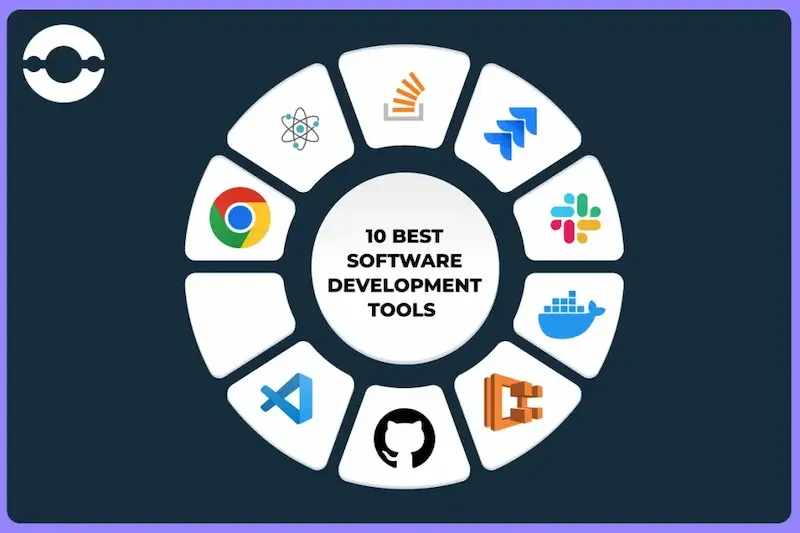
Code Editors and IDEs
Code editors and Integrated Development Environments (IDEs) are where developers write and manage code. Examples include VS Code, IntelliJ IDEA, and Sublime Text. They provide syntax highlighting, code completion, debugging features, and extensions that make coding faster and more efficient.
Version Control Systems
Version control tools like Git, GitHub, and GitLab help developers track changes in their code, collaborate with teams, and manage project versions. They are essential for teamwork and maintaining code integrity.
Debugging and Testing Tools
Debugging and testing tools help developers identify and fix errors in code. Examples include Chrome DevTools, Postman, and Selenium. Automated testing ensures that applications work correctly and saves time on manual testing.
Collaboration and Communication Tools
Tools like Slack, Microsoft Teams, and Jira make team communication seamless. They help developers share updates, discuss tasks, and manage projects efficiently, even when working remotely. software tools for developers
Database Management Tools
Database tools such as MySQL, MongoDB, and PostgreSQL help developers store, organize, and retrieve data efficiently. They are crucial for building applications that rely on structured or unstructured data. software tools for developers
Cloud and Deployment Tools
Cloud platforms and deployment tools like AWS, Docker, and Heroku allow developers to host, deploy, and scale applications easily. They simplify server management and make applications accessible online. software tools for developers
Design and Prototyping Tools
Tools like Figma and Adobe XD help developers collaborate with designers to implement UI/UX designs. These tools make it easier to convert design mockups into functional applications. software tools for developers
you may also like to read these posts;
Python Coding Tutorial for Beginners: Easy Step-by-Step Guide
Step by Step Programming Guide for Beginners
Java Programming Tutorial: Simple Guide for Beginners
Web Development Tutorial Guide: Step-by-Step for Beginners
Best Software Solutions Guide: Easy Tips & Strategies
Top Software Tools for Developers in 2025
Best Code Editors and IDEs
Visual Studio Code, IntelliJ IDEA, and Sublime Text are the most popular choices for developers. They provide syntax highlighting, intelligent code completion, integrated debugging, and support for multiple programming languages. VS Code, for example, has thousands of extensions that enhance productivity, while IntelliJ IDEA is ideal for Java and enterprise development. Sublime Text is lightweight and fast, making it great for quick edits and beginners.software tools for developers
Best Version Control Tools
Git, GitHub, and GitLab are essential for managing code changes. Git tracks every modification, allowing developers to revert to previous versions if needed. GitHub and GitLab add collaboration features, issue tracking, and continuous integration, making teamwork smoother and more organized. They are vital for both individual developers and teams working on large projects. software tools for developers
Best Debugging and Testing Tools
Postman, Selenium, and Chrome DevTools help developers identify and fix errors quickly. Postman is perfect for testing APIs, Selenium automates browser testing for web applications, and Chrome DevTools provides real-time debugging and performance analysis. Using these tools ensures your code works correctly and saves time on manual testing. software tools for developers
Best Collaboration and Project Management Tools
Slack, Microsoft Teams, and Jira make teamwork seamless. Slack and Teams provide instant messaging, video calls, and file sharing, while Jira helps manage tasks, sprints, and project timelines. These tools keep developers and teams aligned, especially in remote or hybrid work environments. software tools for developers
Best Cloud and Deployment Platforms
AWS, Docker, and Heroku simplify hosting and scaling applications. AWS offers extensive cloud services, Docker allows containerization for easy deployment, and Heroku is beginner-friendly for deploying web apps quickly. These platforms ensure applications are reliable, scalable, and accessible globally. software tools for developers
Best Database Management Software
MySQL, MongoDB, and PostgreSQL are widely used for storing and managing data. MySQL is great for structured relational databases, MongoDB handles unstructured or NoSQL data efficiently, and PostgreSQL offers advanced features like support for complex queries and large datasets. Choosing the right database depends on your project requirements. software tools for developers
Best Design and Prototyping Tools
Figma and Adobe XD are essential for working with designers and creating user-friendly interfaces. Figma allows real-time collaboration on prototypes, while Adobe XD provides advanced design and animation features. These tools help developers translate design concepts into fully functional applications, improving the overall user experience. software tools for developers
Best Automation and CI/CD Tools
Jenkins, GitHub Actions, and CircleCI are popular for automating testing and deployment processes. They help reduce repetitive tasks, improve code quality, and ensure faster delivery of projects. Automation tools are especially important for teams practicing continuous integration and deployment. software tools for developers
Best Monitoring and Performance Tools
New Relic, Datadog, and Grafana help developers monitor application performance and track errors in real time. These tools provide insights into server health, response times, and potential bottlenecks, ensuring smooth operation and quick issue resolution. software tools for developers
How to Choose the Right Tools
Identify Your Development Needs
Start by understanding the type of projects you work on and your workflow requirements. Different tools serve different purposes—some are for coding, others for testing, collaboration, or deployment. Knowing your needs helps you focus on tools that provide the most value. software tools for developers
Consider Programming Languages and Frameworks
Make sure the tools you choose are compatible with your programming languages and frameworks. For example, some IDEs are better for Java, while others excel in Python or JavaScript. Compatibility ensures smoother integration and fewer technical issues.
Compare Features and Functionality
Evaluate the features of each tool and check if they meet your requirements. Look for things like debugging options, extensions, collaboration features, or automation capabilities. The right tool should simplify your workflow, not complicate it. software tools for developers
Check Pricing and Budget
Some developer tools are free, while others require subscriptions. Consider your budget and whether premium features are necessary. Many tools offer free tiers or trials, allowing you to test before committing to paid versions. software tools for developers
Test Free Trials or Demos
Whenever possible, try free trials or demo versions. This gives you hands-on experience and helps determine if the tool’s interface, features, and performance suit your workflow.software tools for developers
Assess Team Collaboration Needs
If you work in a team, choose tools that support collaboration, version control, and task management. Features like real-time updates, shared repositories, and project tracking improve productivity and reduce miscommunication.
Evaluate Support and Updates
Good developer tools offer regular updates, bug fixes, and reliable customer support. Choosing tools that are actively maintained ensures security, stability, and access to the latest features.
Prioritize Learning Curve and Usability
Consider how easy it is to learn and use the tool. Tools with a steep learning curve may slow down productivity, especially for beginners. Choose tools that balance powerful features with ease of use.
How to Choose the Right Tools
Identify Your Development Needs
Start by understanding the type of projects you work on and your workflow requirements. Different tools serve different purposes—some are for coding, others for testing, collaboration, or deployment. Knowing your needs helps you focus on tools that provide the most value.
Consider Programming Languages and Frameworks
Make sure the tools you choose are compatible with your programming languages and frameworks. For example, some IDEs are better for Java, while others excel in Python or JavaScript. Compatibility ensures smoother integration and fewer technical issues.
Compare Features and Functionality
Evaluate the features of each tool and check if they meet your requirements. Look for things like debugging options, extensions, collaboration features, or automation capabilities. The right tool should simplify your workflow, not complicate it.
Check Pricing and Budget
Some developer tools are free, while others require subscriptions. Consider your budget and whether premium features are necessary. Many tools offer free tiers or trials, allowing you to test before committing to paid versions.
Test Free Trials or Demos
Whenever possible, try free trials or demo versions. This gives you hands-on experience and helps determine if the tool’s interface, features, and performance suit your workflow.
Assess Team Collaboration Needs
If you work in a team, choose tools that support collaboration, version control, and task management. Features like real-time updates, shared repositories, and project tracking improve productivity and reduce miscommunication.
Evaluate Support and Updates
Good developer tools offer regular updates, bug fixes, and reliable customer support. Choosing tools that are actively maintained ensures security, stability, and access to the latest features.
Prioritize Learning Curve and Usability
Consider how easy it is to learn and use the tool. Tools with a steep learning curve may slow down productivity, especially for beginners. Choose tools that balance powerful features with ease of use.
What are the essential tools for beginner developers?
Essential tools for beginners include a code editor like VS Code or Sublime Text, Git for version control, and simple testing tools like Postman. Collaboration tools like Slack can also help.
Which IDE is best for coding beginners?
VS Code is one of the best choices for beginners because it’s free, lightweight, supports many programming languages, and has plenty of extensions for added functionality.
Are free tools enough for professional development?
Yes, many free tools like VS Code, Git, and GitHub are widely used by professional developers. Free versions are often sufficient, though some premium tools offer advanced features.
How often should developers update their tools?
Developers should update their tools regularly to access new features, bug fixes, and security patches. Most tools provide automatic updates or notifications when new versions are available.
Conclusion:
Software tools are essential for developers to streamline their workflow, improve code quality, and accelerate project delivery. From code editors and version control systems to debugging tools and collaboration platforms, the right set of tools can make development more efficient and enjoyable. By selecting tools that match their project needs and personal workflow, developers can boost productivity, reduce errors, and stay ahead in the rapidly evolving tech landscape. Staying updated with the latest tools also ensures developers can tackle modern challenges effectively.


