


Software development is the process of creating applications, websites, and programs that solve problems or make life easier. Whether you are a beginner or a junior developer, writing efficient and error-free code can sometimes feel challenging.
The good news is that by following a few quick and practical tips, you can improve your coding skills, save time, and make your development process smoother. These tips cover everything from planning your code, writing clean and readable programs, to using tools and libraries effectively. software development quick tips
In this article, we’ll share easy-to-follow software development tips that help you work smarter, avoid common mistakes, and become a more confident developer.
Plan Before You Code software development quick tips
Jumping straight into coding without a clear plan often leads to confusion, errors, and wasted time. By taking a few minutes to plan your work, you can write better code faster and reduce frustration.
1. Understand Requirements Clearly
- Make sure you know exactly what the program or feature should accomplish
- Ask questions or clarify ambiguities before starting
- Example: If building a simple calculator, decide if it should handle only addition/subtraction or all basic operations
2. Break the Problem Into Smaller Steps
- Divide the task into smaller, manageable parts
- Example: For a login system:
- Take username and password input
- Validate input format
- Check credentials in the database
- Return success or error message
- Take username and password input
- Breaking tasks into steps prevents mistakes and helps you focus
3. Sketch Flowcharts or Diagrams
- Draw a visual representation of your program’s flow
- Example: A flowchart showing the steps from user input to database update
- Benefits: Helps you see the big picture and spot potential issues early
4. Write Pseudo-Code
- Outline your solution in plain language before coding
- Pseudo-code helps translate your plan directly into actual code
5. Plan for Edge Cases
- Think about unusual scenarios that could break your program
- Example: Empty inputs, invalid numbers, duplicate entries
- Planning for edge cases prevents bugs before they happen
6. Tips for Beginners
- Spend at least 5–10 minutes planning even small tasks
- Keep your plan flexible; it can change as you code
- Use tools like pen and paper, whiteboards, or software like Lucidchart for diagrams
- Review your plan before you start coding to make sure it’s complete
Write Clean and Readable Code
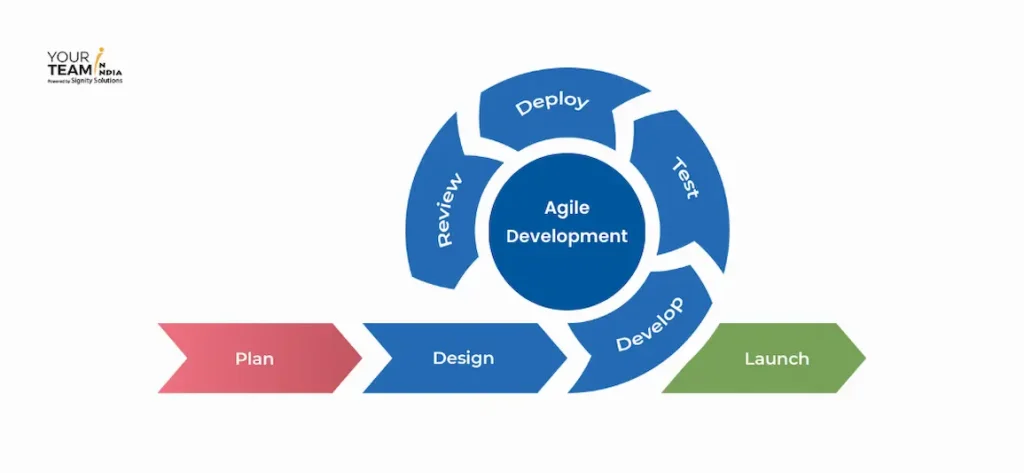
Writing clean and readable code is one of the most important habits for software developers. Clean code is easier to understand, maintain, and debug, which saves time in the long run.
1. Use Meaningful Variable and Function Names
- Avoid vague names like x, temp, or data
- Example: Instead of int x, use int userAge
- Example: Instead of function doStuff(), use function calculateTotal()
2. Maintain Proper Indentation and Spacing
- Consistent indentation improves readability
- Proper spacing between functions and sections also helps separate logic
3. Comment Your Code for Clarity
- Explain why something is done, not what is done (code itself shows what)
- Avoid over-commenting; focus on complex logic that might be confusing
4. Keep Functions Short and Focused
- Each function should do one thing well
- Example: Instead of one large function handling login and registration, separate them into loginUser() and registerUser()
5. Follow a Consistent Naming and Style Convention
- Use camelCase, snake_case, or PascalCase consistently throughout the project
- Example: JavaScript often uses camelCase (calculateTotal), Python uses snake_case (calculate_total)
6. Tips for Beginners
- Refactor your code regularly to improve readability software development quick tips
- Review your code as if someone else will read it software development quick tips
- Use linters or IDE features to automatically enforce coding style
By writing clean and readable code, you can reduce bugs, make collaboration easier, and save time when revisiting your code in the future.
you may also like to read these posts;
Python Coding Tutorial for Beginners: Easy Step-by-Step Guide
Step by Step Programming Guide for Beginners
Java Programming Tutorial: Simple Guide for Beginners
Web Development Tutorial Guide: Step-by-Step for Beginners
Best Software Solutions Guide: Easy Tips & Strategies
Follow Version Control Best Practices
Version control is essential for software development, helping you track changes, collaborate with others, and manage different versions of your code. Using it correctly can prevent mistakes and make teamwork much smoother.
1. Use Git or Other Version Control Tools
- Git is the most popular tool for tracking code changes software development quick tips
- Example:
git initto start a repository,git addto stage changes,git committo save them
2. Commit Often with Meaningful Messages
- Frequent commits make it easier to identify when a bug was introduced software development quick tips
- Example: Instead of
git commit -m "changes", usegit commit -m "fix login validation for empty input"
3. Use Branches for Feature Development
- Keep your main branch stable and create separate branches for new features or bug fixes
- Example:
git checkout -b add-user-profilefor a new feature - Merge the branch back after testing software development quick tips
4. Collaborate Effectively
- Use pull requests (PRs) or merge requests when working with a team
- PRs allow code review before merging changes, improving code quality
5. Regularly Pull and Push Changes
- Pull updates from the main repository frequently to avoid conflicts software development quick tips
- Push your local commits to remote repositories like GitHub or GitLab software development quick tips
6. Tips for Beginners
- Practice basic Git commands daily to get comfortable software development quick tips
- Review your commit history (
git log) to track progress software development quick tips - Use visual tools like GitKraken or SourceTree if command-line feels confusing
By following version control best practices, you can track your code changes, collaborate safely with others, and avoid losing work due to errors or conflicts. software development quick tips
Test Your Code Frequently
Testing is one of the most important habits for software developers. Regular testing ensures that your code works as intended, avoids unexpected errors, and saves hours of debugging later. Making testing a part of your daily workflow will improve your confidence in the code you write. software development quick tips
1. Test Small Parts of Your Code Often
- Focus on individual functions or modules before integrating them into the larger program software development quick tips
- Example: If you’re building a calculator app, test addition, subtraction, multiplication, and division separately before combining them software development quick tips
- Benefit: Makes it easier to identify which part of your code has an issue software development quick tips
2. Use Unit Testing Frameworks
- Unit tests automatically check if your code behaves correctly software development quick tips
- Popular frameworks: JUnit (Java), pytest (Python), Jest (JavaScript) software development quick tips
- Tip: Write tests alongside your code instead of after software development quick tips
3. Debug Early and Often
- Run small test cases while coding to catch bugs immediately
- Avoid waiting until the program is complete; fixing bugs early is easier and faster
4. Test Edge Cases and Unusual Scenarios
- Consider inputs that might break your program, such as empty values, negative numbers, very large numbers, or special characters
- Example: Test login validation with empty username/password, SQL injections, or incorrect email formats
5. Use Assertions and Logging
- Assertions help check assumptions in code
- Logging tracks program behavior over time, helping identify where things go wrong
6. Tips for Beginners
- Start with simple manual tests, then gradually add automated tests
- Run tests every time you make changes to catch regressions
- Learn to write clear, reusable test functions for efficiency
- Celebrate passing tests—they confirm your code is correct
By testing your code frequently, you can catch problems early, write more reliable programs, and reduce stress during development. Regular testing builds a strong habit that separates good developers from great ones.
Use IDE Features Efficiently
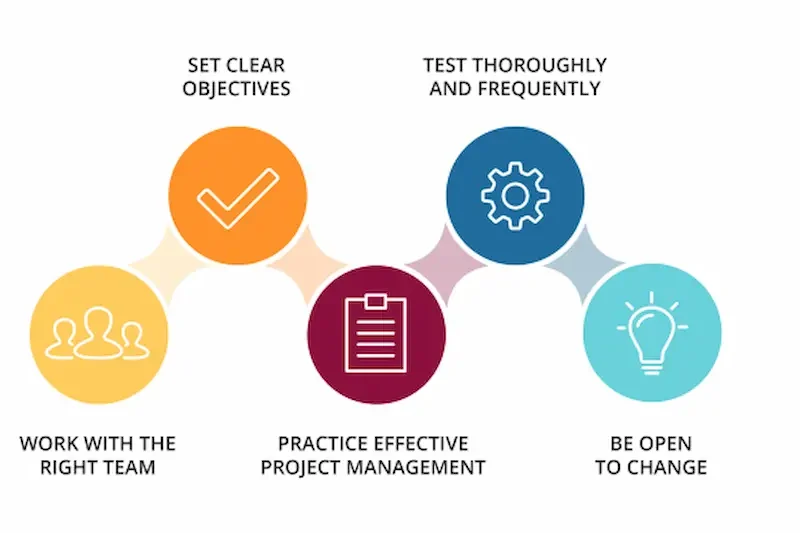
Integrated Development Environments (IDEs) are powerful tools that can speed up coding, reduce errors, and improve productivity. Learning to use them efficiently helps you focus more on solving problems than on repetitive tasks.
1. Code Auto-Completion
- Most IDEs suggest variable names, functions, and classes as you type
- Example: Typing
priin Python IDE may suggestprint()automatically - Benefit: Saves time and reduces typos
2. Snippets and Templates
- Reuse common code patterns with snippets
- Example: Create a snippet for a
forloop or a class template - Tip: Customize snippets for frequently used structures
3. Integrated Debugging Tools
- Set breakpoints, inspect variables, and step through code without leaving the IDE
- Example: Pause execution at a critical line to check variable values
- Benefit: Makes debugging faster and more precise
4. Refactoring Tools
- Rename variables, extract functions, or reformat code automatically
- Example: Rename
temptouserNameacross your project with one command - Benefit: Keeps your code clean and consistent
5. Version Control Integration
- Many IDEs integrate Git or other version control systems
- Example: Commit, push, or merge directly from the IDE
- Benefit: Saves switching between command line and code
6. Tips for Beginners
- Explore your IDE’s features gradually; start with auto-completion and debugging
- Learn keyboard shortcuts to speed up coding
- Customize themes, fonts, and layouts to make coding comfortable
- Use IDE extensions to add helpful functionality
By using IDE features efficiently, you can write code faster, debug more effectively, and maintain cleaner, more organized projects.
What are quick tips for software development?
Quick tips are simple, practical strategies that help developers write better code, save time, and reduce errors during the development process.
Why is planning before coding important?
Planning helps you understand requirements, break tasks into steps, and avoid mistakes, making coding faster and more efficient.
How can I write clean and readable code?
Use meaningful variable and function names
Maintain proper indentation and spacing
Comment complex logic
Keep functions short and focused
What is version control, and why should I use it?
Version control, like Git, helps track changes, collaborate with others, and revert to previous versions if something goes wrong.
Conclusion
Improving your software development skills doesn’t have to be overwhelming. By following these quick and practical tips, you can write cleaner code, avoid common mistakes, and work more efficiently.
Start by planning your code, writing readable programs, and testing frequently. Combine these habits with version control, IDE features, and the use of libraries or frameworks to save time and reduce errors.
Remember, becoming a skilled developer is a gradual process. Implementing even a few of these tips consistently will make your coding faster, more organized, and more reliable. Small, consistent improvements lead to big gains in productivity and confidence.


